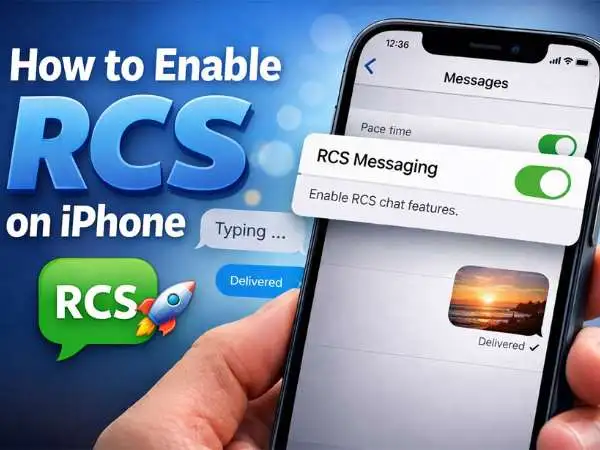

RCS on iPhone is the messaging upgrade many users have waited years to see. It brings modern texting features that traditional SMS never supported, including typing indicators, high-quality media sharing, read receipts, and improved group messaging.
Unlike old SMS messaging, RCS allows:
- High-resolution photo and video sharing
- Real typing indicators and read receipts
- Better group messaging experiences
- Improved communication between iPhone and Android devices
- Faster message delivery through data networks
For years, Apple relied on iMessage for advanced messaging between Apple devices and SMS for everyone else. That split created the well-known “green bubble vs blue bubble” divide. RCS changes part of that experience by modernizing the messages sent between iPhone and Android users.
Apple confirmed support for RCS messaging with the release of newer iOS versions, and many carriers now support it globally. The rollout represents a significant shift in how cross-platform messaging works.
Understanding how to enable RCS on iPhone, what it changes, and when it actually activates helps avoid confusion for many users.
What Is RCS Messaging?
RCS stands for Rich Communication Services. It is a messaging protocol designed to replace traditional SMS and MMS with a modern messaging standard.
SMS technology was created in the early 1990s. At that time, messages were limited to basic text and extremely small media attachments. Even today, SMS messages are restricted to low-quality images and minimal functionality.
RCS improves that system by sending messages through mobile data or Wi-Fi instead of the legacy carrier SMS network. This allows messages to support richer features similar to modern chat apps.
Many Android phones have supported RCS for years through Google Messages. However, iPhones historically did not participate in that ecosystem. When an iPhone sent a message to an Android device, the conversation dropped back to SMS.
Apple’s support for RCS changes that limitation.
Also Read : – 150 Funny WiFi Network Names (With When & Why to Use Them)
Why Apple Added RCS Support
The shift toward RCS was driven by several factors.
Messaging expectations have evolved. Users now expect high-quality media, typing indicators, and real-time reactions in conversations. SMS cannot provide those experiences.
Regulatory pressure also played a role. Global regulators increasingly pushed large technology companies to improve cross-platform interoperability. Messaging standards became part of that conversation.
At the same time, Apple maintained its iMessage ecosystem as a core feature for Apple-to-Apple communication. RCS does not replace iMessage. Instead, it upgrades messaging between iPhone and Android devices.
This hybrid system allows Apple to maintain iMessage while modernizing conversations outside its ecosystem.
How RCS Works on iPhone
RCS messaging on iPhone activates automatically when three conditions are met.
First, the device must run a supported version of iOS that includes RCS support.
Second, the mobile carrier must support RCS messaging.
Third, the recipient device must also support RCS.
When all three conditions align, messages between devices can use the RCS protocol rather than falling back to SMS.
The process is invisible to most users. Conversations appear in the standard Messages app. However, behind the scenes, the protocol determines how the message is delivered.
If RCS is unavailable for any reason, the system automatically falls back to SMS.
Also Read : – Why My Dell Laptop Won’t Turn On: Causes, Fixes, and What to Do Next
How to Enable RCS on iPhone
In most cases, RCS does not require a manual toggle. Instead, it activates automatically when supported by both the operating system and carrier.
To confirm messaging settings on your device, start by opening the Settings application. Navigate to the Messages section. Within this menu, review available messaging features and carrier configuration updates.
Keeping iOS updated is the most important step. Apple typically enables new messaging capabilities through system updates rather than standalone settings.
After updating your device, restart it to ensure carrier configurations refresh correctly.
When messaging an Android user who also supports RCS, the upgraded messaging features should activate automatically.
Differences Between SMS, RCS, and iMessage
Understanding the three messaging systems helps clarify how conversations behave.
SMS is the oldest format. It supports only basic text messaging and very small media attachments. Messages travel through carrier networks and do not support modern chat features.
RCS improves on SMS by using internet connectivity and richer messaging capabilities. It supports larger files, typing indicators, read receipts, and improved group messaging.
iMessage is Apple’s proprietary messaging system. It works only between Apple devices but includes the most advanced features, such as message reactions, end-to-end encryption, and seamless integration across Apple products.
When two iPhone users communicate, iMessage handles the conversation. When an iPhone communicates with an Android phone that supports RCS, the system can now upgrade that conversation beyond SMS.
What Features RCS Brings to iPhone Messaging
The biggest advantage of RCS is improved communication between iPhone and Android users.
Media quality improves dramatically. Photos and videos sent through RCS retain much higher resolution compared to the compressed MMS format used by SMS.
Typing indicators allow users to see when someone is composing a message. This small feature significantly improves the feel of real-time conversation.
Read receipts provide confirmation that messages were viewed. This feature has long existed in messaging apps but was missing from SMS conversations.
Group chats become more reliable. RCS reduces message delays and improves participant synchronization across devices.
File sharing also becomes more flexible, allowing larger attachments without severe compression.
These changes collectively modernize cross-platform messaging.
Also Read : – Kick for PC: The Rising Challenger in Live Streaming
Carrier Support and Availability
RCS availability depends heavily on carrier support.
Major global carriers already support RCS messaging infrastructure. However, rollout schedules differ between regions and networks.
Carriers must enable RCS support in their network configuration for iPhones to use it. Apple works directly with carriers to deploy these updates through software releases and carrier bundles.
Users may need to install carrier settings updates when prompted by iOS.
If your carrier has not enabled RCS yet, conversations will continue to use SMS until support arrives.
Troubleshooting RCS Activation
If RCS messaging does not appear to activate, several factors may be responsible.
First, confirm your iPhone is running the latest version of iOS. Messaging protocols often rely on system updates.
Next, verify your mobile carrier supports RCS messaging. Carrier support varies widely across countries.
Restarting the device can refresh network configurations and apply carrier updates.
Also confirm that the Android device you are messaging supports RCS. If the other device uses standard SMS only, the conversation cannot upgrade.
Network connectivity also matters. RCS relies on data or Wi-Fi connectivity rather than the traditional SMS channel.
In most cases, once the ecosystem supports RCS, activation occurs automatically.
Privacy and Security Considerations
Privacy remains a central concern for messaging technologies.
Apple’s iMessage platform uses end-to-end encryption between Apple devices. RCS messaging may not always offer the same level of encryption, depending on the implementation used by carriers.
Some RCS implementations support encryption, while others rely on carrier-level security measures.
Users should be aware that RCS conversations may not provide the same privacy guarantees as iMessage.
However, the protocol still offers stronger functionality than legacy SMS.
The Future of Cross-Platform Messaging
The introduction of RCS on iPhone represents a major milestone in messaging interoperability.
For years, the divide between iMessage and SMS created a fragmented messaging experience. Android users experienced degraded conversations when communicating with iPhone users.
RCS closes much of that gap.
While iMessage remains the premium messaging system within the Apple ecosystem, cross-platform messaging is finally moving toward modern standards.
This shift benefits users across both platforms by improving reliability, media quality, and conversation flow.
Messaging is one of the most frequently used features on any smartphone. Improvements to this basic tool affect millions of daily interactions.
Also Read : – How to Fix “Message Blocking Is Active” (iPhone, Android, Samsung, T-Mobile)
Final Thoughts
Enabling RCS on iPhone does not require complicated setup. In most cases, the upgrade activates automatically when supported by the device, carrier, and recipient phone.
What matters most is keeping your iPhone updated and ensuring your carrier supports the protocol.
Once active, RCS messaging significantly improves communication between iPhone and Android users. Photos appear clearer. Group chats function better. Conversations feel closer to modern messaging apps rather than outdated SMS threads.
The change may seem subtle at first, but it represents one of the most meaningful improvements to cross-platform messaging in years.
For users who regularly communicate across different smartphone ecosystems, RCS finally brings long-overdue improvements to everyday texting.
Frequently Asked Questions
Does iPhone support RCS messaging?
Yes. Newer versions of iOS include support for RCS messaging, allowing improved communication between iPhone and Android devices.
Do I need to manually enable RCS on iPhone?
In most cases, no manual setting is required. RCS activates automatically when supported by your carrier and the recipient device.
Does RCS replace iMessage?
No. iMessage remains Apple’s primary messaging system between Apple devices. RCS only improves communication between iPhone and Android phones.
Why are my messages still sending as SMS?
This usually occurs when the recipient device does not support RCS or when your carrier has not enabled RCS messaging yet.
Is RCS messaging secure?
RCS offers improved functionality compared to SMS, but encryption levels may vary depending on the carrier implementation.