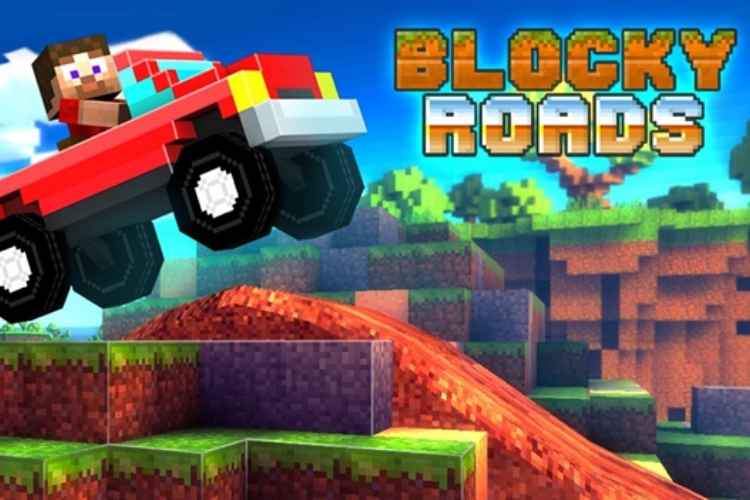

Blocky Roads is another game that is quite inspired by the renowned sandbox game Minecraft. It’s a racing game with the purpose to build your own farm. This fascinating 3D mobile racing game is developed by DogByte Games and is available on Android and iOS. However, iOS users have to buy the game from App Store. Android users can download the game for free from Play Store.
The game is about rebuilding the farm that has been destroyed due to a tornado. In order to rebuild the farm, you need to race around different locations to collect the blocks that will be used in making the farm fruitful again. The blockheaded farmer has to drive in little vehicles across different obstacle courses to collect all the pieces which are needed in the rebuilding of the farm. You will drive through across different locations like meadows, mountains, deserts etc.
Blocky Roads Features
Blocky Roads is not only about rebuilding the farm, it is about racing as well. For you to rebuild the wrecked farm, you have to drive well across the various tracks. Because without particular driving skills, you may not be able to complete the tracks and collect the things needed to restore the wrecked farm.
There are different types of vehicles such as motorcycles, monster trucks, sedans etc. which you can use for races. The game also gives the option of modifying the vehicles. With each race, you get money to upgrade your vehicle like you can upgrade the fuel tank or engine to increase the speed of your vehicle. All these upgrades are important and will result in completing the races more easily. The great thing about Blocky Roads is that you get money for failing to reach a specific location. Every failed attempt will provide the much-needed money to make the vehicle powerful and stable.
Blocky Roads also provide the car customization option to the users. This car editor option can be used only when you complete the third track. In the car editor, you can change the style and color of your car. You can get creative with this and customize your vehicle as you like.
Blocky Roads Gameplay
The gameplay of blocky roads is simple and it is quite like other sandbox games. In other sandbox games, you have to gather the resources by mining or by doing some other things. However, in Blocky Roads, you just need to drive around different obstacles to gather the resources.
The vehicle you have a certain amount of fuel and you need to drive wisely to collect the coins and reach the specific location. If you’re not able to reach the specific point in the given fuel then you will not be able to complete the level. This is why the game has a car upgrade option that allows you to add more power to the engine and to get a bigger fuel tank in your vehicle. The upgrades in the game are important and you to keep upgrading your vehicle if you want to progress in the game.
As we have told you earlier that Blocky Roads is a mobile video game and available only on Android and iOS. However, if you want to play the game on PC, you need to download on PC first which can be done by installing the Android emulator. With an Android emulator, you can install any android game you like on a PC. But, before installing the android emulator, check the minimum requirements needed for the installation of the emulator on a PC. If you don’t have the minimum requirements, you may not be able to play the game on your PC.